
How do I add photos to a Preplan from the APX Web App?
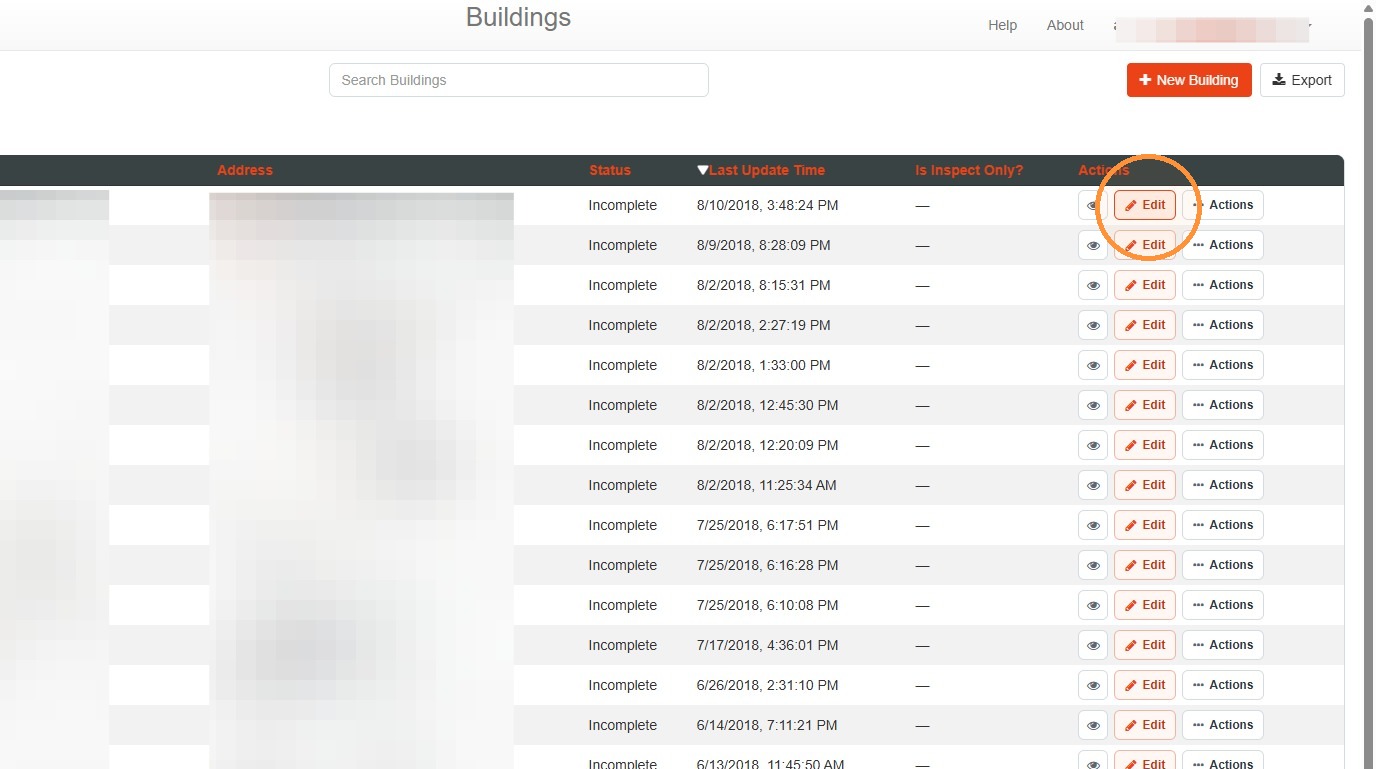
1. Select Edit.
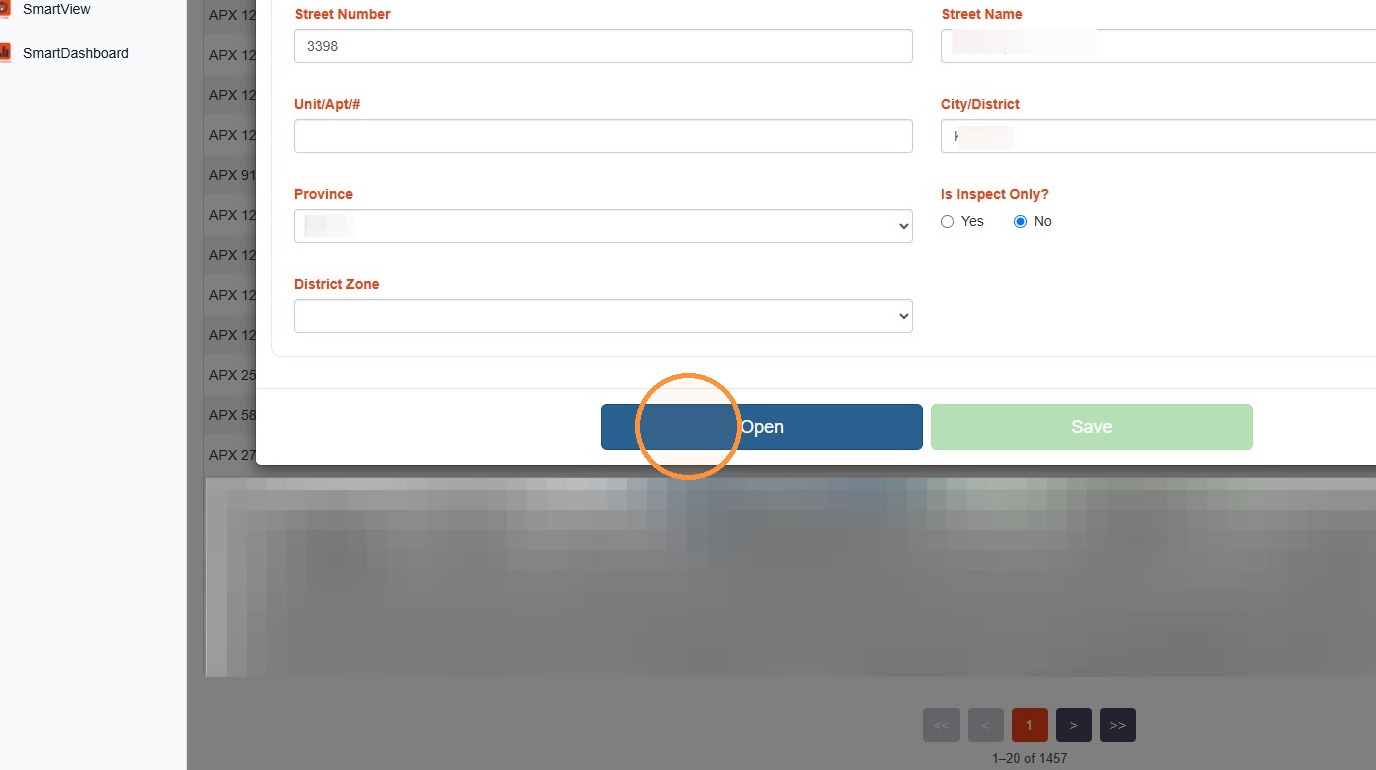
2. Select Open.
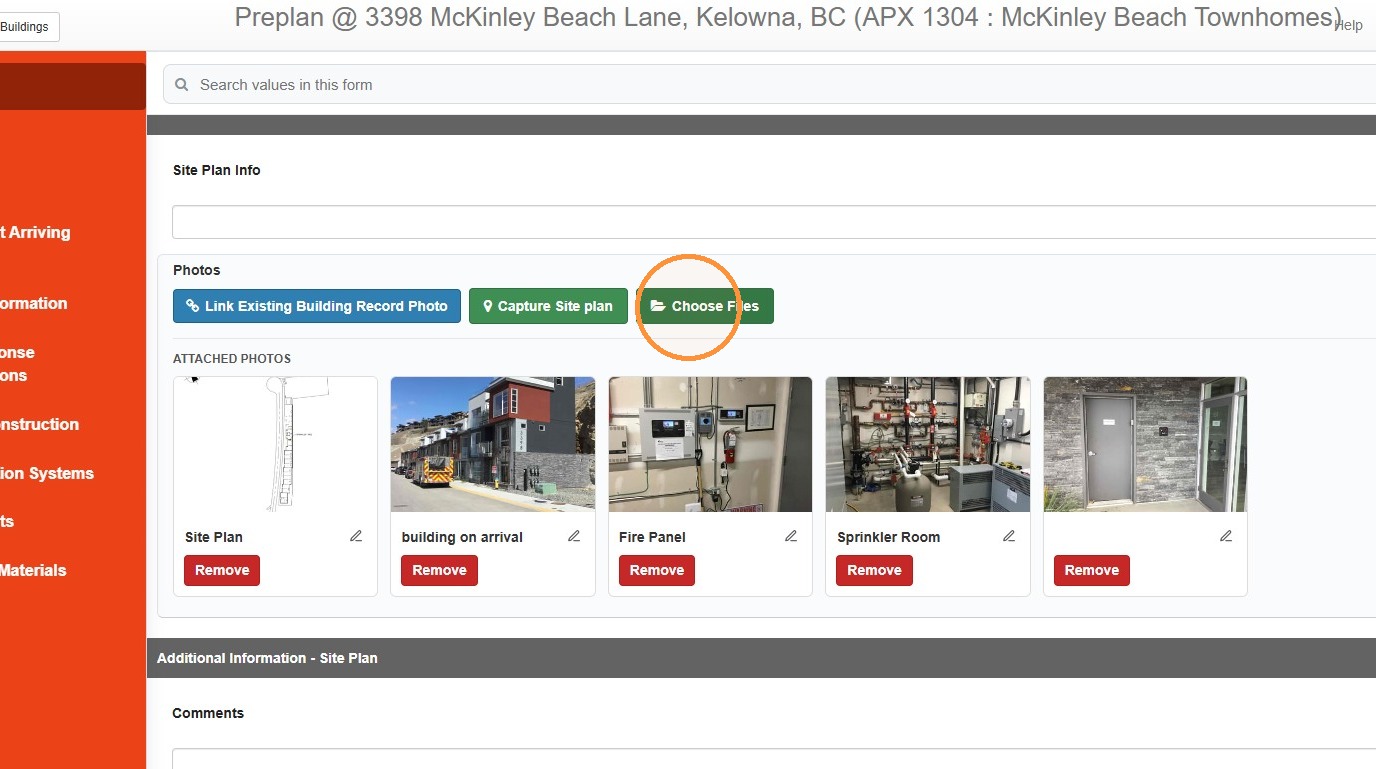
3. To upload a photo (JPG or PNG) to a field in the form, select Choose Files.
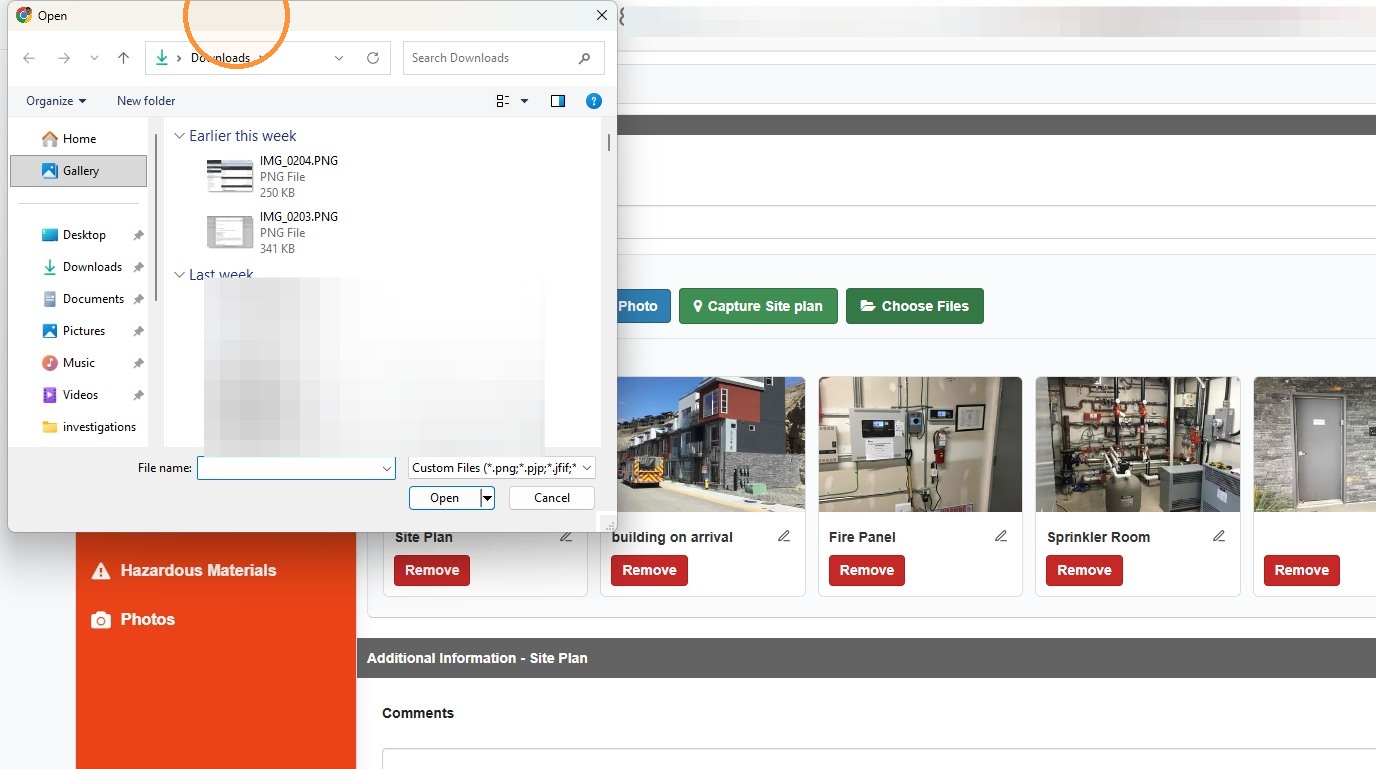
The device file explorer will open, allowing you to select the image you want to add to the record.
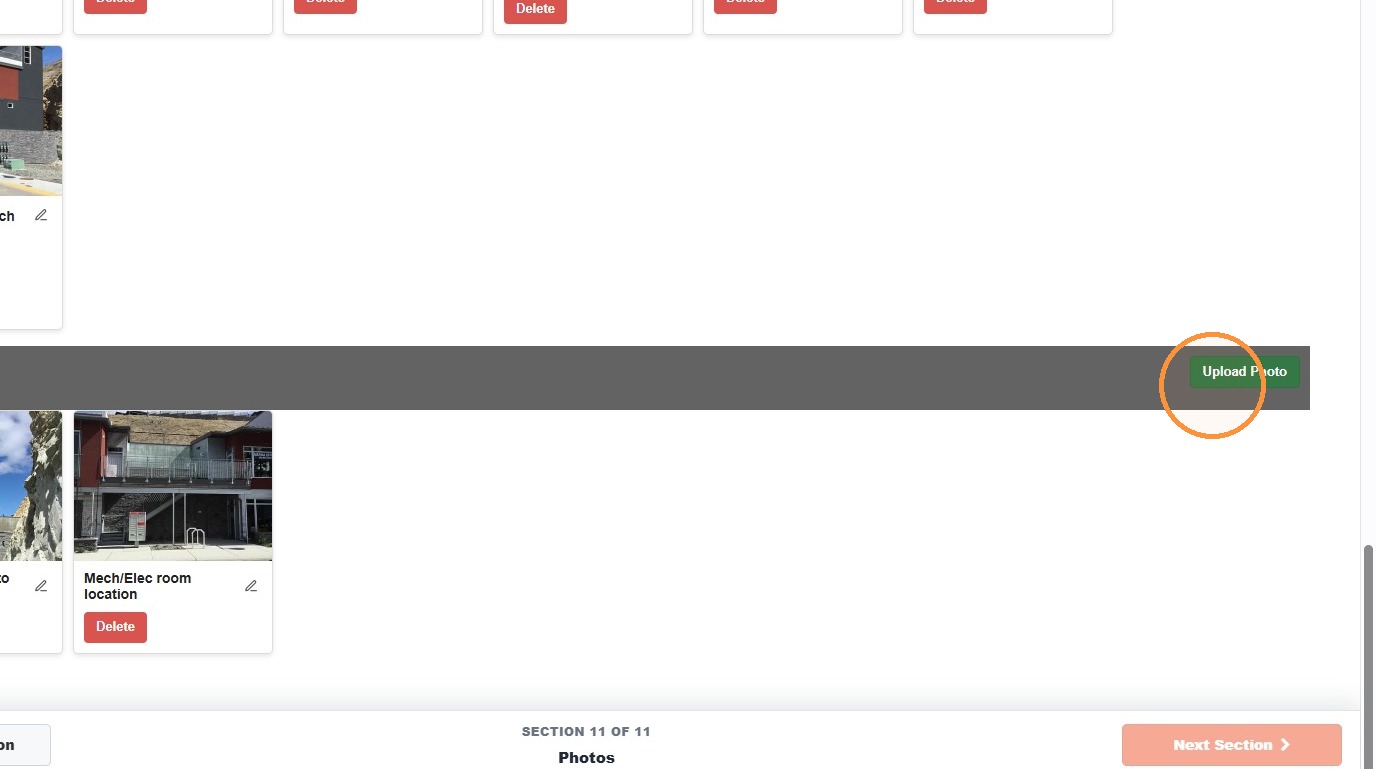
4. Images can also be uploaded without being linked to a field through the Photos tab.
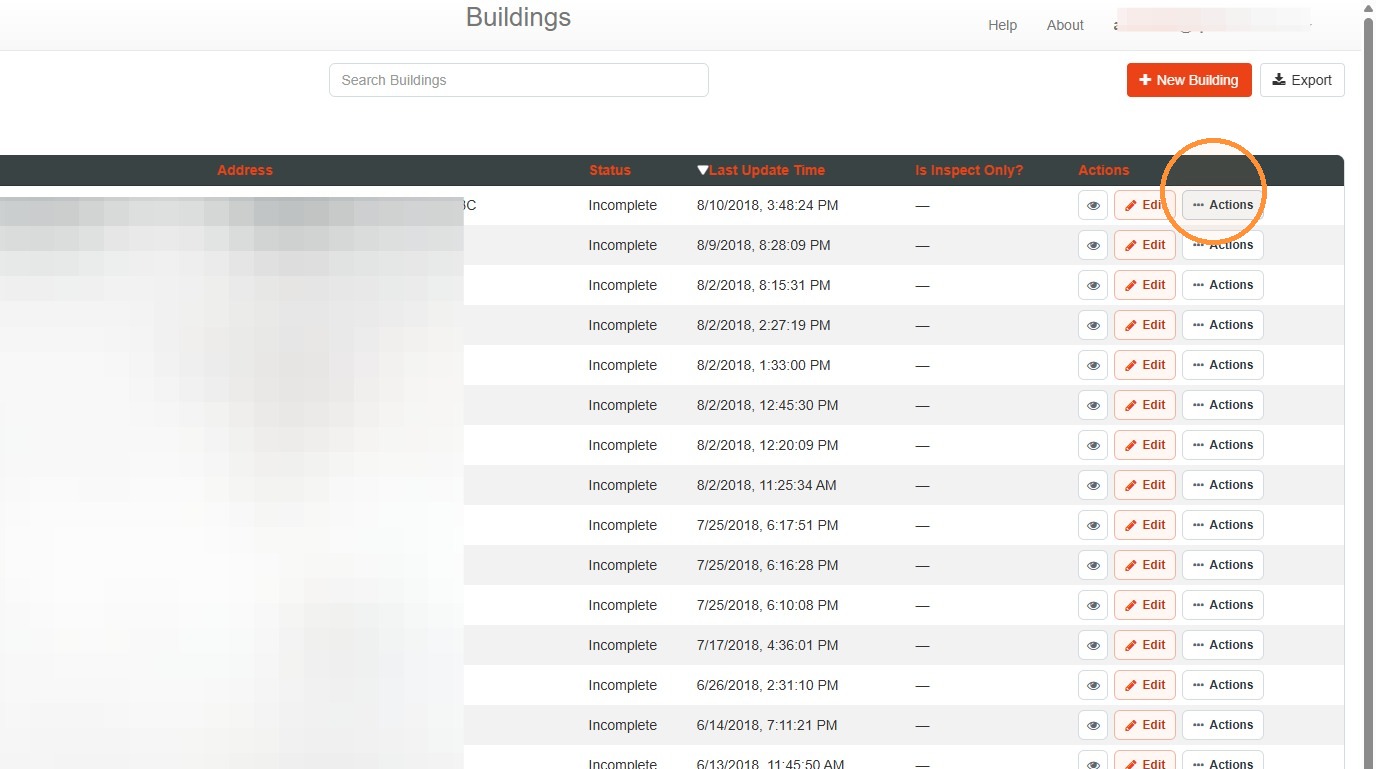
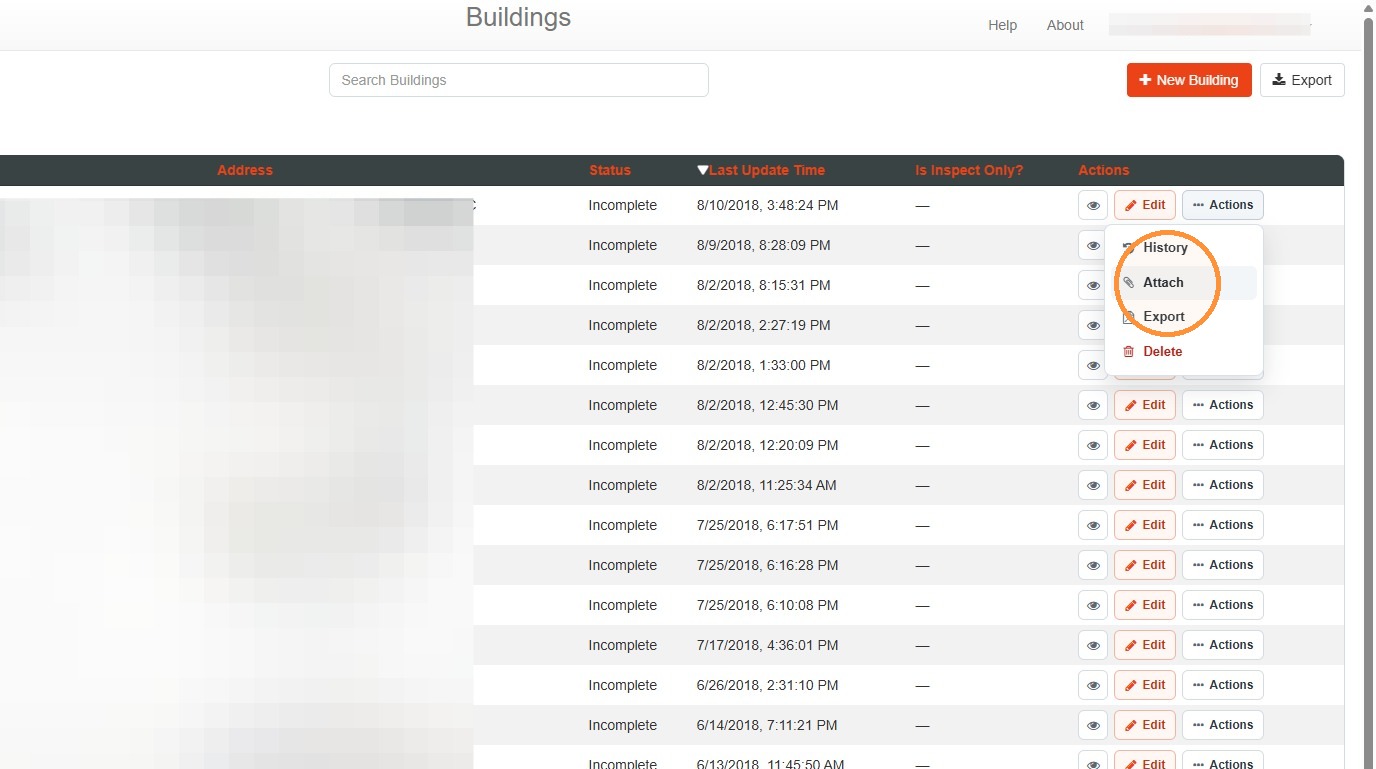
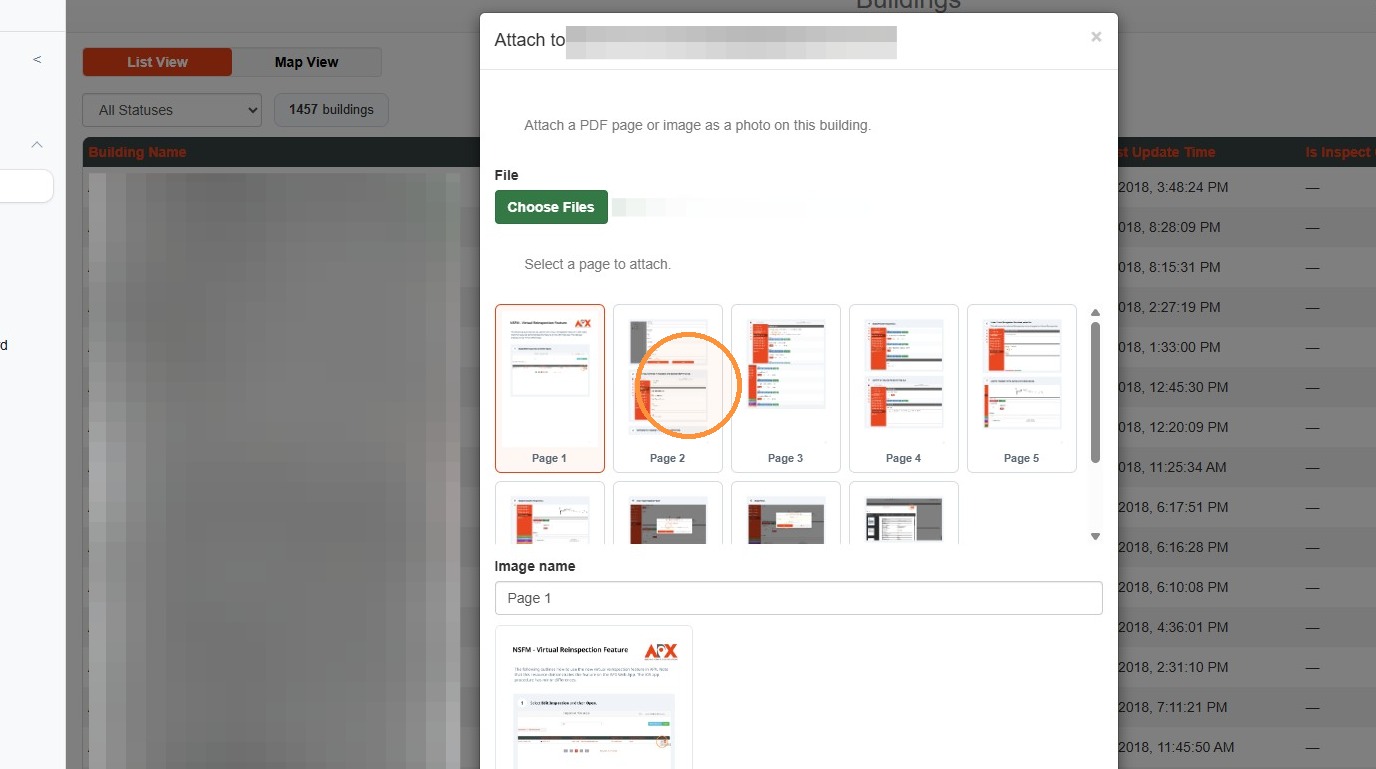
5. To upload content from PDFs into a preplan as images, select Actions and then Attach.
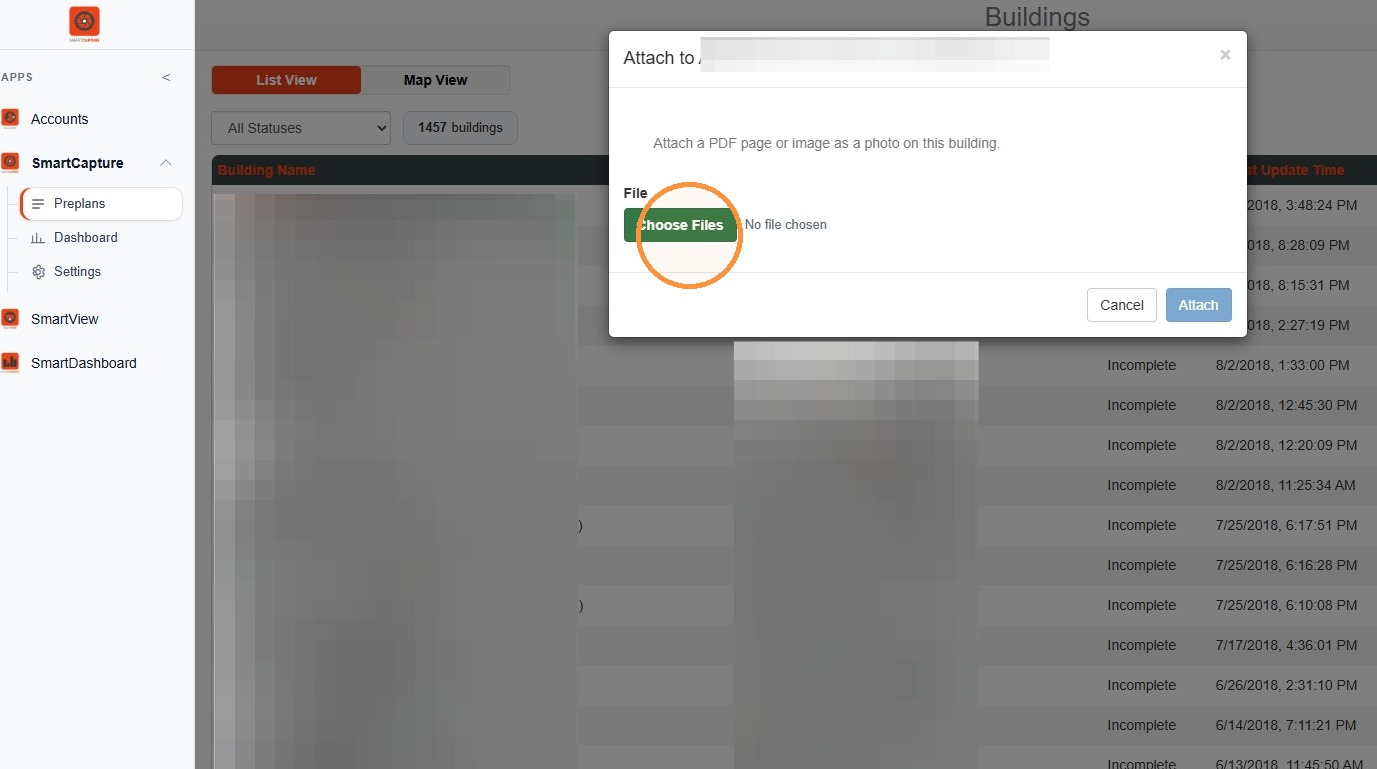
6. Select Choose Files to find and select a PDF.
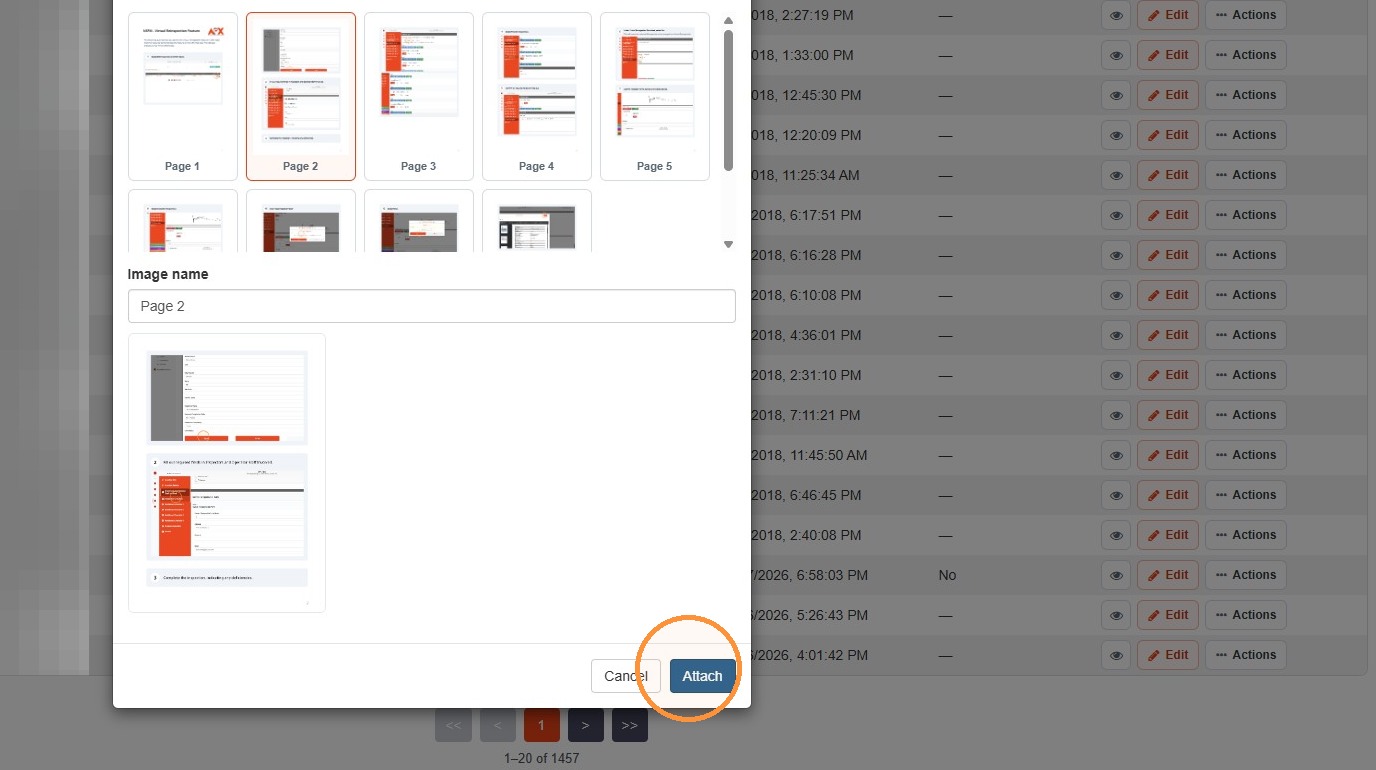
7. Select a page of the PDF document, and provide an Image Name (the page number will be provided as a default).
8. Select Attach to add the image to the record.
Comments
0 comments
Please sign in to leave a comment.