
This guide shows how the new APX Occupancy History Lookup tool allows for APX inspection users to access historical inspection information for an occupancy directly within the inspection workflow, making it simpler for inspectors to be more informed about past inspections activity, without having to navigate out of the current inspection.

1. Within an inspection in the APX Web App or on iOS, select Occupancy History.
Note: As this tool pulls down information stored on the APX server, internet connectivity is required.

2. A window displaying a history of inspections for that occupancy will open. Select View Details to view information regarding a specific inspection.
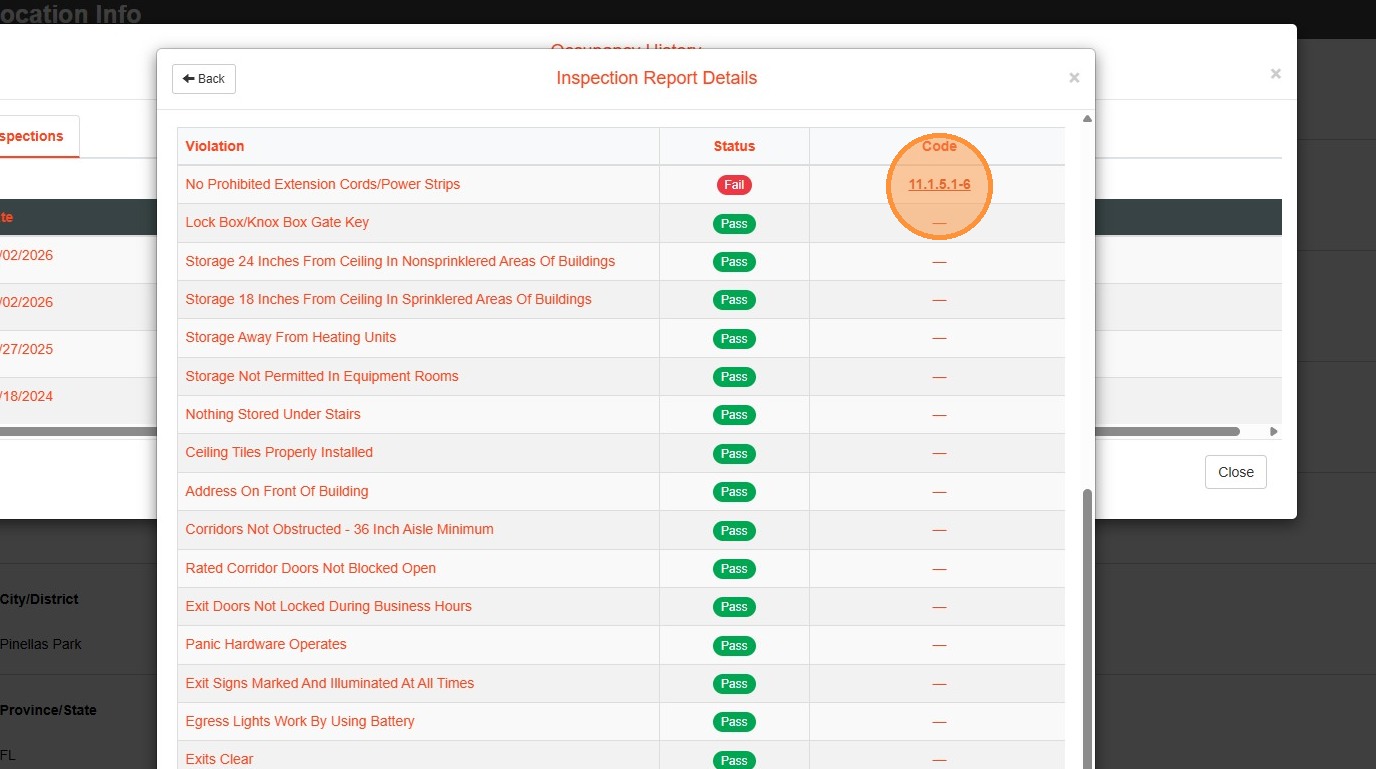
3. In Inspection Report Details, view who was present on the inspection, and the results of the inspection, and details on any violations identified.

4. You can also view/download the PDF inspection report from directly within the tool.
Note: On the iOS App, you can view but not download the inspection report.
Comments
0 comments
Please sign in to leave a comment.